

Can I import data?
* from sources other than our compatible meters and devices
Of course you can import data! But please know that importing does have some limits.
-
Our Android users can import their step information with Google fit, using these steps
-
Our iOS users can import select data* from Apple Health and can follow these steps
* Select data from Apple Health include Blood Glucose, Carbohydrates, Insulin, Blood Pressure, Weight. These data can be imported from various compatible devices such as Dexcom CGM, Ascensia Contour Next, LifeScan OneTouch Verio Flex meter.
Unfortunately, we do not have an option to import data from Excel or CSV files.
How do I export data?
Reports
mySugr Basic and PRO users can export their data as a CSV report. Tap on "Reports" located in the navigation bar on the bottom of your screen.
mySugr PRO users can choose between a PDF, CSV, or MS Excel file format, and can also set a custom date range for their PDF reports.*
CSV and Excel Files will export all of the logged data in the logbook (excluding logged photos) and do not have customizable dates ranges.
The PDF file is our most popular export option, and many people take this report with them to their doctor. You can see a sample PDF report here and you can learn more about what's on the PDF reports here.
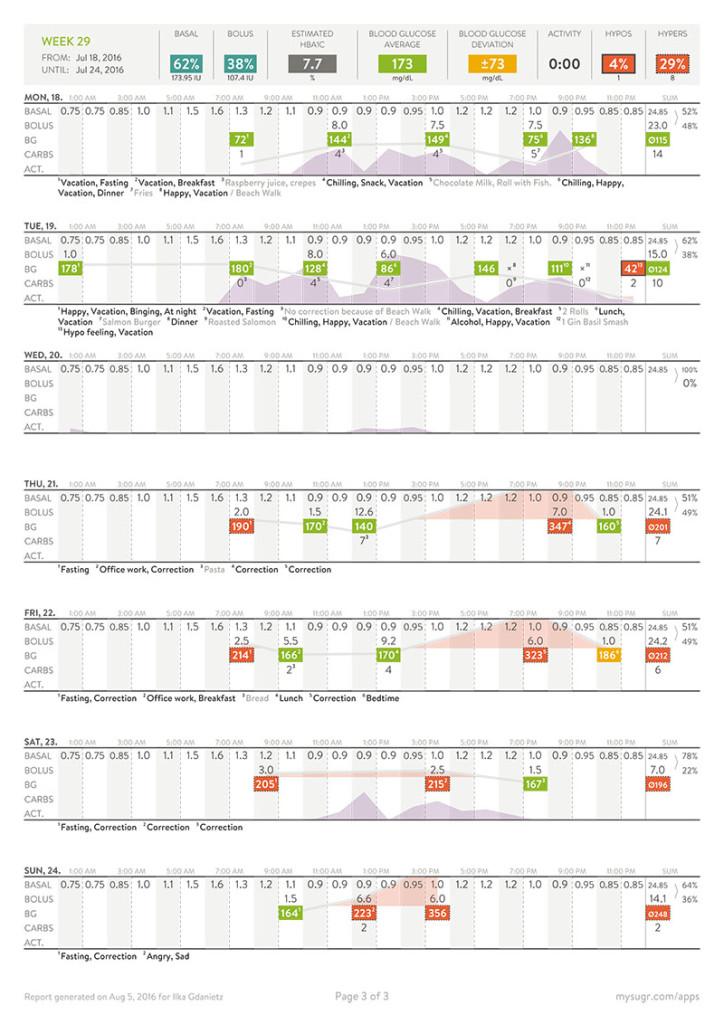
* Please note: Instead of going from one static date, the PDF report includes the full week that was part of the date you chose. This is because the report pages are formatted to begin on Sunday and end on Saturday on one single page, or a “Weekly” page. Choosing the date ensures that you’ll be able to see the data for those dates.
So, if you need to see the data starting on a Wednesday, you’ll get 3 pages: All pages will show the data for those complete three weeks, but this way, you get two completely full weeks from Wednesday to Wednesday to Wednesday to see all of the data you’re looking for.
All app data
If you would like to export all of your mySugr app data, tap on "More" located in the navigation bar on the bottom of your screen > Account & Settings > Other settings > Export app data.
A ZIP file containing a raw export of all your information will be generated.